OpenClaw Malicious Skills Turn Agent Convenience Into a Supply Chain Problem
A skill install looks like personalization until it quietly becomes local code execution, tool exposure, and shadow capability loading on employee machines.
Article focus
Treatment: screenshot
Prompt family: BA-3 (high)
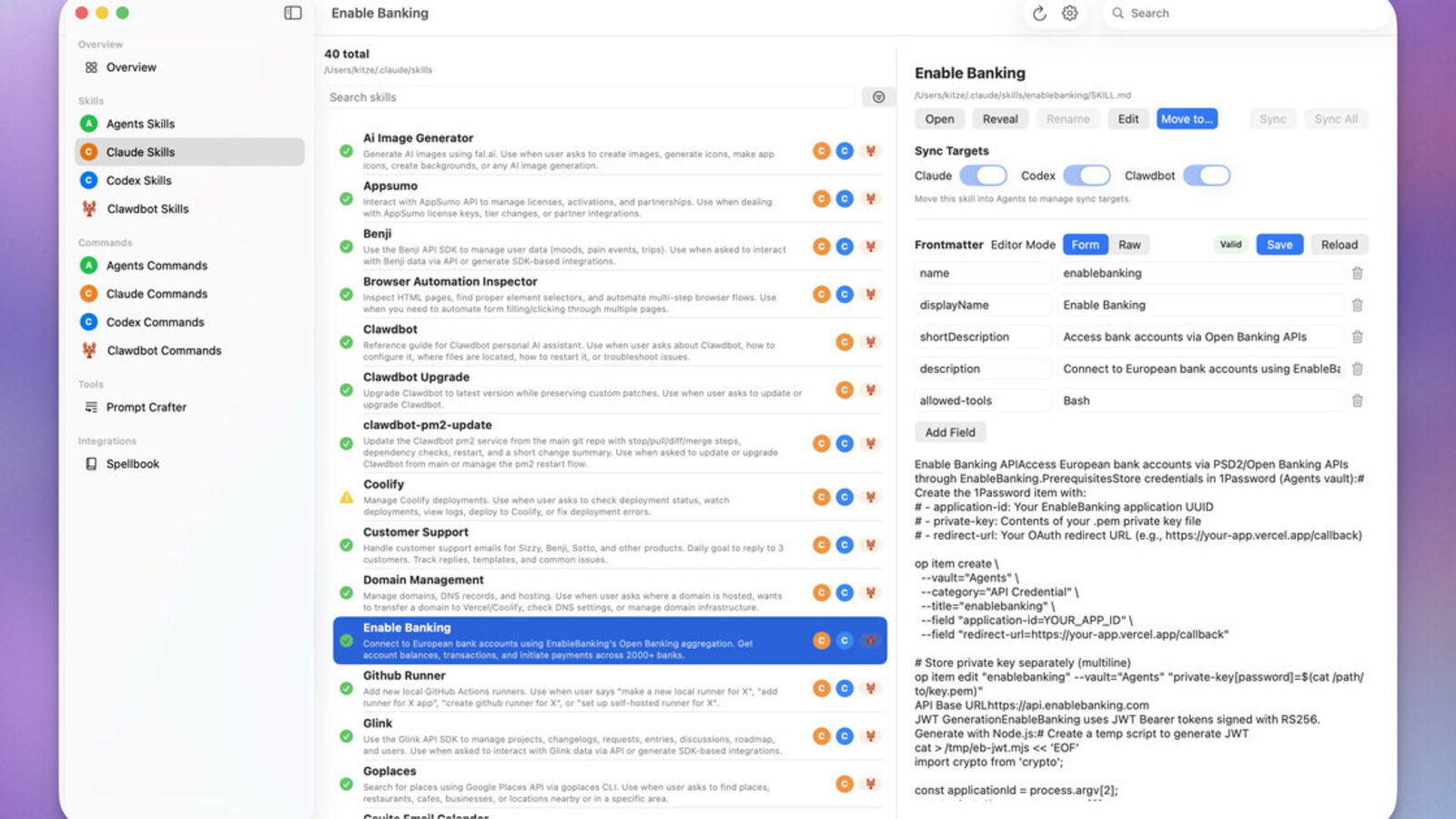
Image description: OpenClaw skills manager interface showing installed skills and sync targets
Image source: OpenClaw GitHub repository
License: MIT License
Executive summary
OpenClaw documentation says plugins run in-process and should be treated as trusted code. Reports of malicious ClawHub skills show what that means in practice: the compromise path is the install itself, not just a bad prompt after the fact.
OpenClaw Skills and ClawHub as a Supply-Chain Surface
Enterprise teams already understand the package-registry problem. A convenience layer sits on top of a code execution layer, and the user installs something that looks useful before anyone asks what privilege it really gets. OpenClaw skills fit the same pattern. A skill feels like assistant customization, but the project’s own security guidance says extensions should be treated as trusted code and reviewed before enablement. That makes the skill registry a supply chain surface, not a prompt-engineering footnote.
ClawHub's Malicious Moltbot Skill Reports Put the Install Path at the Center
The organizational issue is trust drift. Staff think they are personalizing an assistant, but they may actually be importing code and capabilities into a local agent that can see files, shell commands, browser state, and business context. Vendors cannot secure that enterprise context for you, especially when the install decision happens on employee machines outside normal procurement and desktop control.
Trusted OpenClaw Skills Move the Security Boundary to Installation Time
OpenClaw is not a chat-only assistant. It can execute commands, read and write files, access network services, and pass data between tools. Once you let third-party skills extend that system, the effective trust boundary moves from the model to the installed capability. The dangerous assumption is that a staff member is merely adding a workflow helper. In reality they may be importing code, manifests, secrets handling, and tool exposure decisions into the same host that runs the agent.
Why ClawHub Skill Installation Is an Enterprise Trust Decision
- The installed skill can change what the agent is allowed to do, not just what it can display.
- The agent already has user trust, conversational context, and access to local state.
- Staff can install capabilities outside normal procurement, app review, or desktop engineering controls.
- Once enabled, the skill sits next to prompt-driven actions that make misuse harder to spot.
ClawHub Reports Show How Malicious Skills Masquerade as Crypto Automation
Tom’s Hardware reported malicious OpenClaw skills on ClawHub that posed as crypto automation tools and pushed users toward running setup steps that fetched remote code. That is not just a content moderation issue. It is a distribution problem around who can publish, what gets surfaced, and how much trust an install UI implicitly grants. Once users are conditioned to add skills for convenience, attackers do not need to defeat the model. They need to win the install moment.
Tool Calling Makes Trusted and Untrusted Skills Harder to Separate
In a regular SaaS plugin ecosystem, the worst case is often scoped to that app. In an agent ecosystem, a malicious skill can combine local shell access, filesystem access, and model-mediated decision making. The tool-calling layer amplifies the risk because the assistant can discover new paths to use the skill, route sensitive context through it, or blend the skill into routine work so the operator no longer notices where the boundary moved.
Enterprise Impact: Staff-Installed Skills Import Code Into Managed Workflows
The enterprise failure mode here is not only malware distribution. It is staff installing skills that would never survive a normal security review because they appear to be productivity helpers instead of software with local privilege. Shadow AI now includes shadow capability loading. A security team may think it has approved the OpenClaw base install, while individual users quietly extend it with marketplace skills that add browser automation, remote fetch, command wrappers, or access to internal systems.
OpenClaw Skill Controls Need Allowlists, Review, and Execution Isolation
Treat the OpenClaw skill layer the way you treat third-party packages and browser extensions. Maintain an allowlist, pin versions, inspect installed code on disk, and separate evaluation from production use. If staff can self-install skills, you no longer have a governed assistant platform. You have an agent app store operating inside your fleet.
Controls Worth Enforcing
- Skill allowlists: Only approved skills and plugin ids should load in enterprise environments.
- Install review: Inspect unpacked code, manifests, and dependency behavior before enablement.
- Least privilege: Keep risky tools, web fetch, and remote execution off unless the task truly needs them.
- User policy: Treat staff-installed agent skills as unapproved software, not harmless personalization.
3LS Policy and Observability Need to Track Skill Provenance and Drift
3LS gives security teams a place to enforce capability policy outside the model. That means skill provenance checks, explicit tool boundaries, and visibility into when an assistant’s installed capability set no longer matches what the organization approved. It turns shadow capability loading into a policy event rather than a surprise discovered after the agent already has new power.
Operational Next Step: Govern Skill Installs Like Software Releases
Treat agent skill installation the way you treat browser extensions and package registries. Define an approved skill catalog, review new capability requests, and make sure desktop and security teams can see when users add code that changes what a local agent can do.
Continue reading