Discover the estate
Discover observed AI products, provider accounts, MCP installations and tool revisions.
Solutions
AI governance is a runtime control problem, not a procurement problem. Your organisation owns the controls over reachable tools, credentials, shared state, and delegated authority—not the model vendor. 3LS supports discovery, classification, visibility, evidence, and policy evaluation across broader AI use.
Discover observed AI products, provider accounts, MCP installations and tool revisions.
Apply configured policy on supported traffic routed through the gateway and supported browser and managed MCP paths.
Assign case owners, retain remediation evidence and review attributable decisions.
Review the AI and MCP inventory, managed action controls, cases, policy lifecycle, approvals, evidence, and enterprise integrations in one place.
Solutions
Explore the five capability groups in the 3LS Platform, from inventory and governed access to operator response and evidence.
AI and MCP Inventory
Discover observed AI products, provider accounts, MCP installations and tool revisions. Track ownership, provenance and observation freshness.
Explore capabilityAI Gateway Controls
Apply policy to approved providers, models and tool groups. Inspect selected text and control usage on supported traffic routed through the gateway.
Explore capabilityPolicy and Approvals
Validate and publish signed policies, track their application, and manage scoped exceptions with approval and expiry.
Explore capabilityRisk and Response
Prioritise findings, assign case owners and retain evidence of remediation.
Explore capabilityGovernance Evidence
Review attributable policy decisions, activity and case history. Export observed inventory for governance and assurance reviews.
Explore capabilityConnect governance review questions to observed resources, policy decisions and remediation records, alongside your organisational assessments.
Explore the supporting-feature map →Illustrative operator view
Give security teams a readable trail of what was detected, how policy was evaluated, and which evidence supported the result.
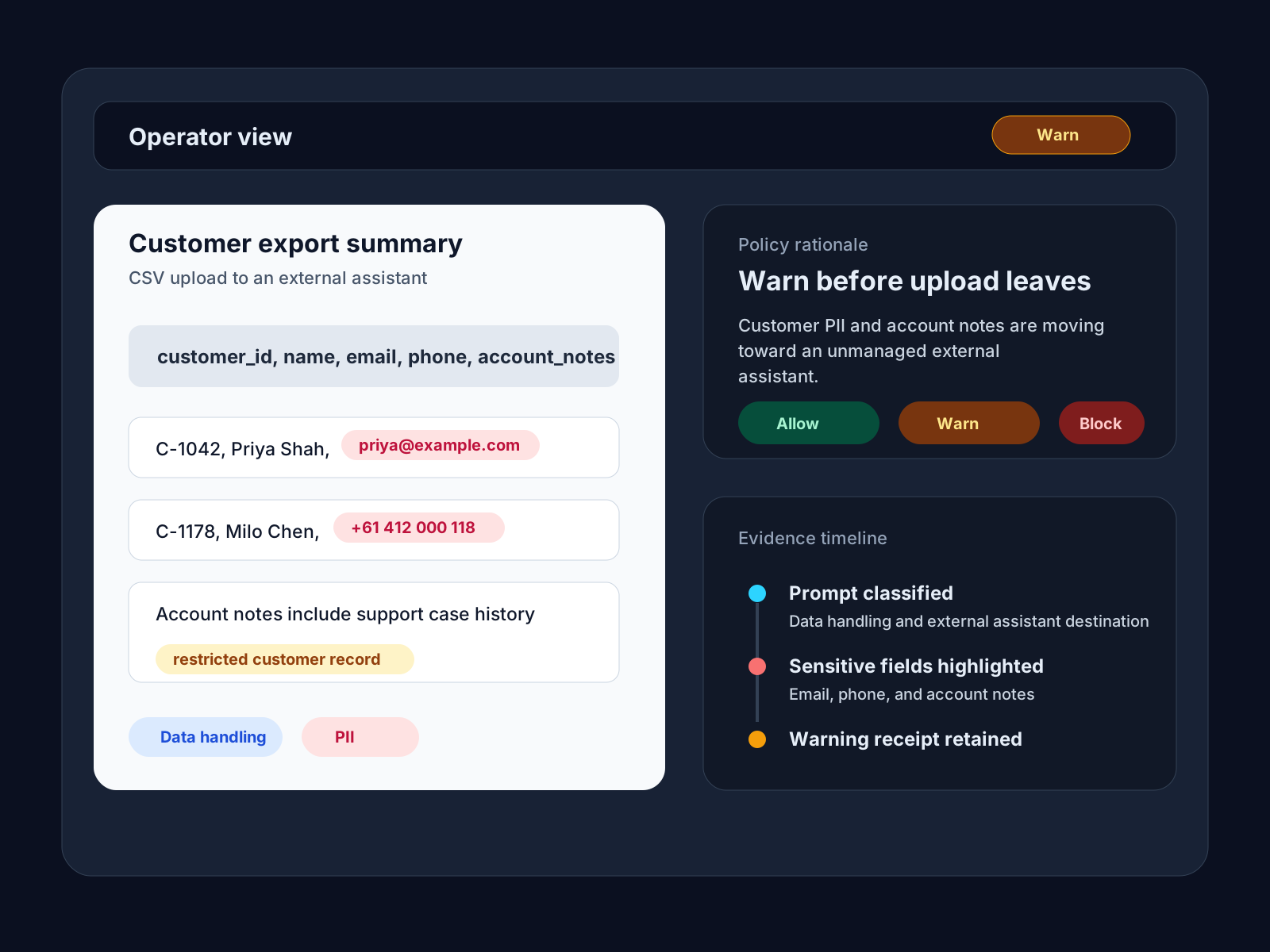
Illustrative findings
Activity class, sensitivity, and policy evaluation
Outcome
Give operators a clear picture of where AI is helping, where it is handling data, and where closer review is needed.
Capability
Detect risky content and suspicious AI behavior before it becomes a data exposure or a control failure.
Control
Turn observed AI use into policy evaluations, with decisions and evidence operators can explain.
From the blog
Articles mapped to the same themes as the solutions catalog: visibility, classification, sensitive-data handling, and action-oriented controls.
After an AI exposure, the hardest question is usually what your organization cannot answer: where AI is active, what was pasted in, and what was shared. That visibility gap turns shadow AI into an incident multiplier.

A single paste can become a breach. From Samsung's ChatGPT incident to training data extraction, 26% of organizations are feeding sensitive data to public AI.

Microsoft is adding native AI controls while OpenAI is turning ChatGPT into a shared agent workspace. Both trends point to the same requirement: one runtime governance layer across prompts, files, memory, tools, and actions.