Phase 1
then
Sensitive content appears
A prompt, upload, tool input, or output includes personal data, credentials, or restricted material.
PII detection
PII detection answers the next question after intent: What sensitive data is present? It helps teams see when AI interactions involve personal information, secrets, or restricted material.
3LS gives operators a readable view of when prompts, tool inputs, and outputs include customer data, credentials, or other content that needs extra care.
A prompt, upload, tool input, or output includes personal data, credentials, or restricted material.
3LS highlights what kind of sensitive content is present so teams can separate ordinary work from data-risk events.
The interaction can be warned, blocked, reviewed, or allowed based on sensitivity and business context.
Operators keep a readable record of what was detected and what decision followed.
Personal data
Surface names, identifiers, and other personal information when people paste, upload, or transform sensitive material with AI.
Secrets and credentials
Spot tokens, credentials, and similar material inside prompts, tool inputs, and outputs before they spread into the wrong place.
Restricted content
Bring attention to restricted records and internal material so teams can decide whether to continue, warn, or stop the interaction.
Operator view
Give security teams a readable trail of what was detected, how policy was evaluated, and which evidence supported the result.
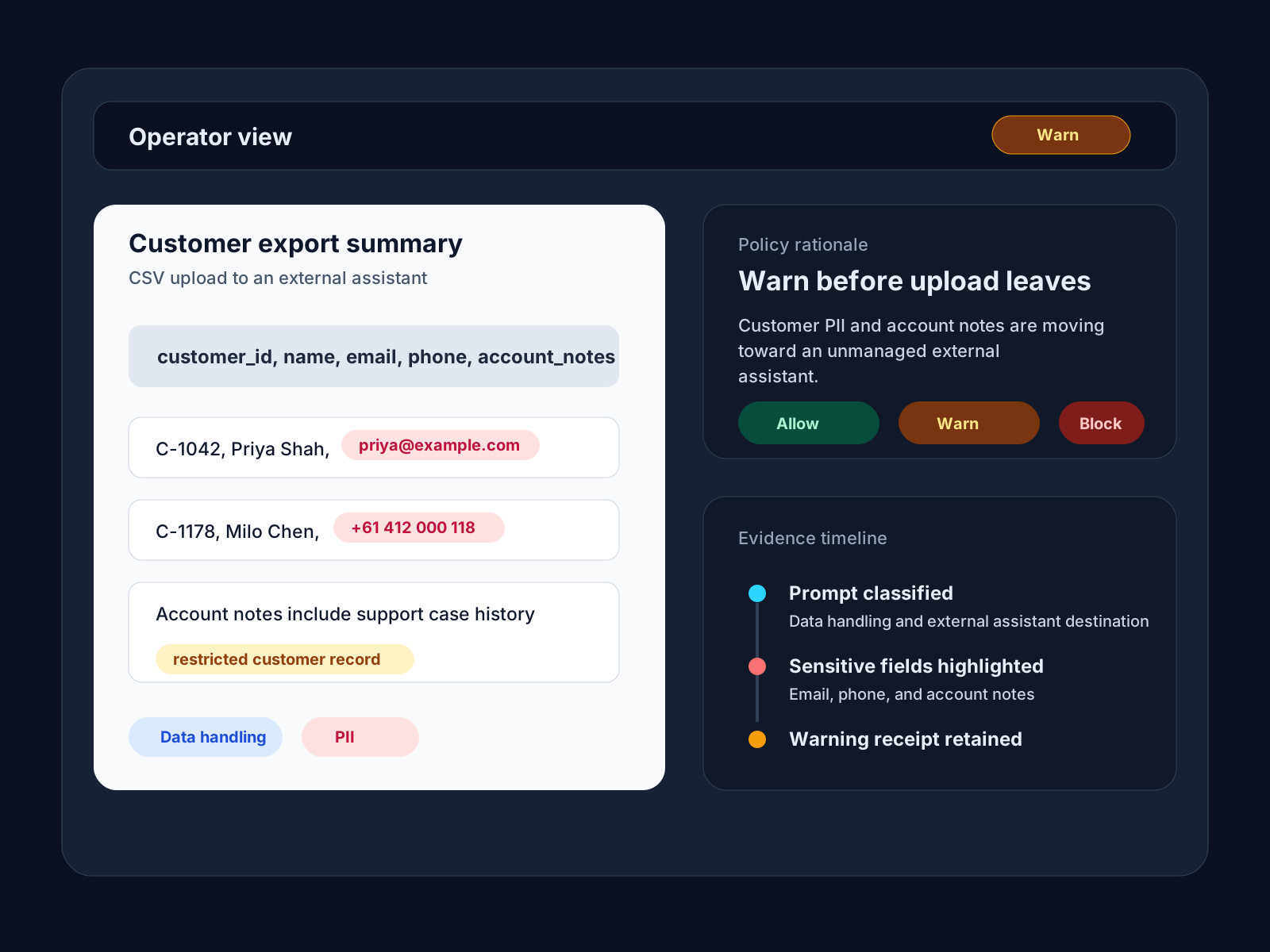
Recent findings
Intent, sensitivity, and policy evaluation
From the blog
Coverage on sensitive-data exposure in AI workflows, where copied records leak, and why runtime detection matters before the prompt leaves the browser.

A single paste can become a breach. From Samsung's ChatGPT incident to training data extraction, 26% of organizations are feeding sensitive data to public AI.

The story is not a rogue user. It is the exception path. Reports say FOUO contracting files were pasted into public ChatGPT under a temporary exemption, triggering alerts and a DHS review.
One copy-paste can clone a repo, read private email, and send it out. This is a real vulnerability, not a demo.